
Key takeaways
- Install QTFX Markets only from its official Google Play listing, published by Quantwave (HK) Limited.
- The app is listed in the Finance category and is rated Everyone on Google Play.
- On first launch, starting with a demo account lets you learn the trading platform app without risking money.
- Keep Android and the app updated, use a screen lock and avoid installing APK files from unknown sources.
- Availability of products and accounts depends on your region and local law.
01Before Your QTFX Markets Download: A Quick Checklist
A few minutes of preparation saves frustration later. Run through this list before tapping Install:
- Android device: the verified listing is on Google Play, so you need an Android phone or tablet with the Play Store signed in.
- Free storage: charts and market data need some space; clearing old files helps the app run smoothly.
- Stable connection: trading apps stream prices continuously, so a reliable Wi-Fi or mobile data connection matters more than for most apps.
- Updated system: install pending Android security updates first.
- Local rules: confirm that CFD trading is permitted where you live, because products and availability vary by region.
02Step-by-Step: Installing from Google Play
- Open the Google Play Store on your Android device.
- Search for QTFX Markets.
- Open the listing and check the developer name reads Quantwave (HK) Limited and the category is Finance.
- Read the description and data safety section so you know what the app does with your information.
- Tap Install and wait for the QTFX Markets download to finish.
- Tap Open, or find the QTFX Markets icon in your app drawer.
If the listing does not appear in your search results, the app may not be offered in your country. In that case, do not look for the file elsewhere; unofficial copies are a common route for malware and stolen logins.
03How to Recognise the Official Listing
Fake trading apps often copy logos and names, so verify every detail before any QTFX Markets download. The table below shows what to check and why it matters.
| Check | What to look for | Why it matters |
|---|---|---|
| Developer name | Quantwave (HK) Limited | Copycat apps usually list a different or vague developer |
| Category | Finance | A trading app filed under games or tools is a warning sign |
| Content rating | Everyone | Matches the verified listing details |
| Package source | Google Play only | Sideloaded APKs skip Play Protect scanning |
| Permissions | Requests that fit a trading app | Unusual requests such as SMS access deserve suspicion |
Never enter your account password into an app or website that reached you through an unsolicited message, even if it looks identical.
Get the official QTFX Markets app from Google Play, open a demo account first and learn the platform at your own pace before you trade live.
Get it on Google Play04First Launch: Demo or Live?
When the app opens for the first time, you will be guided to create or access an account. This is where you choose between a demo account with virtual funds and a live account that uses real money.
Why most beginners should pick demo first
A demo account uses real market prices but no real money. It is the ideal place to learn where the quote list, chart and order ticket sit, and to test how leverage in trading magnifies small price moves. You can also practise attaching protective orders, which is covered in detail in our stop loss and take profit guide.
When you are ready for live
A live account involves identity verification and funding. Our walkthrough on how to open a trading account covers verification and account security, while the deposit and withdrawal guide explains how payment channels work in general terms.
05Setting Up the App for Daily Use
Once you are inside, a few quick settings make the trading platform app far more practical:
- Build a watchlist: add the instruments you actually follow, such as gold, EUR/USD or a US index, so you are not scrolling through dozens of symbols.
- Pick a default chart: choose candlestick or line view and a timeframe that matches how long you plan to hold trades.
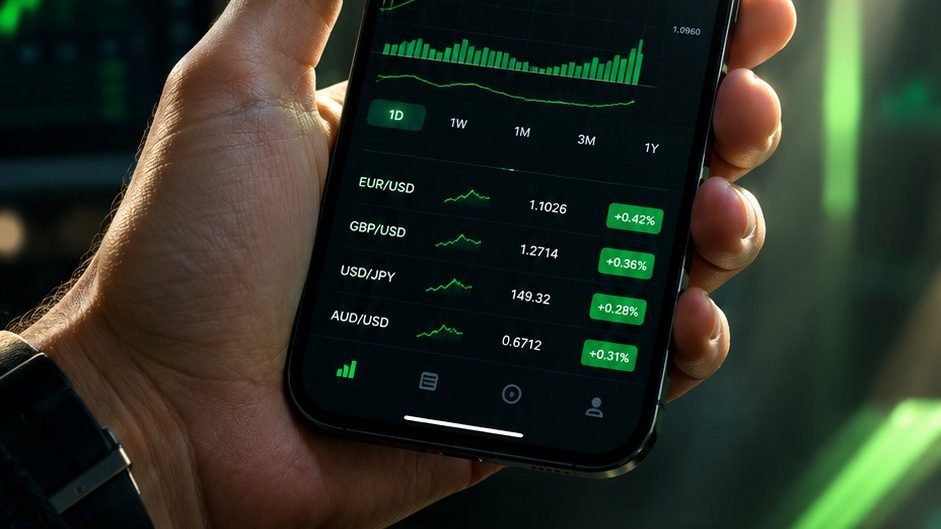
- Check the quote screen: each instrument shows price changes, daily highs and lows and the current spread, which is a direct trading cost explained in our guide to forex spread and swap.
- Review positions: learn where open, pending and closed positions are listed and how real-time profit and loss is displayed.

06Device and Security Tips
Your phone becomes a gateway to your trading account, so treat it with the same care as a banking app.
- Use a strong screen lock such as a PIN, pattern or biometric unlock.
- Keep both Android and the app updated; updates often include security fixes.
- Avoid trading on public Wi-Fi without a trusted connection.
- Turn on Google Play Protect and leave it on.
- Do not share screenshots that show account numbers or balances.
- If you change phones, sign out of the old device before resetting it.
The app encrypts data in transit, and you can request deletion of your data through its official support channels if you stop using it.
07Download Responsibly
Installing a trading app is easy; trading responsibly takes more effort. CFDs are complex, leveraged products, and prices can move fast enough to cause losses larger than you expected. Only trade with money you can afford to lose, keep position sizes small while you learn and remember that product availability depends on your region and local law.
Think of the QTFX Markets download as the start of a learning period, not the start of making money. Spend time on demo, read the guides and build a plan before funding a live account.
Questions readers ask
Where can I download QTFX Markets safely?
Download QTFX Markets only from its official Google Play listing, where the developer is shown as Quantwave (HK) Limited and the category is Finance. Avoid APK files shared through messaging apps, social media or unknown websites, because modified copies can capture logins and payment details. If the app is not visible in your Play Store, it may not be offered in your region.
Is QTFX Markets free to download?
Installing an app from Google Play costs nothing unless the listing states a price, so check the listing itself. Trading is different: when you trade on a live account, costs such as spreads, possible commissions and overnight financing apply. These costs are shown inside the app for each instrument, and you should review them before placing a real trade.
Can I use the app without opening a live account?
Yes. You can open a demo account that uses virtual funds and real market prices. This lets you explore quotes, charts, watchlists and the order ticket without depositing money. Many traders spend several weeks on demo to learn order types and position sizing before deciding whether a live account suits them.
What should I do if the app will not install?
First check that your device has enough free storage, that Android is up to date and that your internet connection is stable. Clearing the Play Store cache or restarting the phone often helps. If the listing does not appear at all, the app may not be available in your country. Do not try to bypass this with unofficial download sources.